What Is Etherscan? The Ultimate Beginner’s Guide to Tracking Ethereum Transactions
If you have ever bought, sold, or transferred Ethereum (ETH), sent an ERC-20 token, or minted an NFT, you have interacted with the Ethereum blockchain. But unlike traditional banking, where your account activity is locked behind private log-ins and customer support portals, Ethereum operates on a completely public, transparent ledger.
Every single transaction, wallet balance, and smart contract execution is visible to anyone in the world in real time.
So, how do you actually look at all that public data?
That’s where Etherscan comes in.
Often described as the “Google of Ethereum,” Etherscan is the primary block explorer for the Ethereum network. Whether you are checking if your crypto transaction went through, reviewing real-time gas fees, or auditing a new token before investing, knowing how to navigate Etherscan is an essential skill for any crypto investor.
In this deep dive, we’ll break down what Etherscan is, how it works, why it is safe to use, and step-by-step instructions on how to leverage its best features like a pro.
What Exactly Is Etherscan?
At its core, Etherscan (found at etherscan.io) is an independent blockchain explorer and analytics platform for the Ethereum blockchain.
Think of the Ethereum blockchain as a massive digital ledger or accounting book. Every time someone sends ETH, trades a token on Uniswap, or interacts with a decentralized application (dApp), a new entry is written into that book. Etherscan acts like a search engine for that ledger. It indexes all the raw data stored on Ethereum and presents it in a clean, user-friendly webpage.
It is important to understand what Etherscan is not:
-
It is not a crypto wallet: You cannot store your Ethereum or tokens on Etherscan.
-
It is not an exchange: You cannot buy, sell, or trade crypto directly through Etherscan’s native interface.
-
It does not control the Ethereum network: Etherscan is simply a search lens viewing the network; it has no power to alter, reverse, or stop transactions.
Why Should You Use Etherscan?
Why do millions of Web3 enthusiasts, day traders, and long-term crypto holders use Etherscan daily? Here are the most common everyday use cases:
-
Transaction Tracking: If you send ETH from an exchange like Coinbase or Kraken to your Metamask wallet and it takes longer than expected, you can look up the transaction to see its exact status (Pending, Success, or Failed).
-
Checking Wallet Balances: You can view the full history and current holding value of any public Ethereum address without needing the owner’s private keys.
-
Monitoring Gas Fees: Etherscan provides a live Gas Tracker so you can avoid sending transactions when network fees are high.
-
Inspecting Tokens & NFTs: Before buying a new meme coin or NFT collection, you can verify its total supply, number of holders, and official contract address.
-
Security Audits & Approvals: You can check which dApps have permission to spend your tokens and revoke old approvals to protect your wallet from potential hacks.
Is Etherscan Safe to Use?
Yes, Etherscan is completely safe.
Because it is purely an information aggregator, using Etherscan does not expose your private keys or compromise your funds. In fact, you don’t even need to create an account or connect your wallet just to look up transaction data or check wallet balances.
However, you should keep two critical security rules in mind:
-
Always verify the URL: Make sure you are visiting
[https://etherscan.io](https://etherscan.io). Beware of phishing sites designed to look like Etherscan that prompt you to sign malicious transactions. -
Watch out for ad links: Like many popular crypto sites, Etherscan hosts banner ads. Always be cautious when clicking on third-party sponsored project links displayed on the platform.
Key Concepts to Understand Before Using Etherscan
To get the most out of Etherscan, it helps to be familiar with a few foundational Ethereum terms:
-
Wallet Address (Public Key): A string of 42 alphanumeric characters starting with
0x(e.g.,0x1234...). This is your public address that anyone can send funds to or look up on Etherscan. -
Transaction Hash (TxHash/TxID): A unique identifier string generated for every single transaction processed on Ethereum. It acts like a digital receipt or tracking number.
-
Block: Ethereum groups transactions into blocks every few seconds. Once a block is added to the chain, all transactions inside it are finalized.
-
Gas Fee: The processing fee paid in ETH to network validators for executing your transaction.
Step-By-Step: How to Use Etherscan
Let’s walk through the core features of Etherscan and how you can use them in your day-to-day crypto activities.
1. How to Track a Transaction Status
Did you send some ETH or buy a token, but your wallet isn’t updating? Here is how to find out what happened:
-
Copy the Transaction Hash (TxHash) provided by your wallet or exchange. (If you don’t have the hash, you can simply search your own public wallet address).
-
Paste the TxHash into the search bar at the top of Etherscan and hit Enter.
-
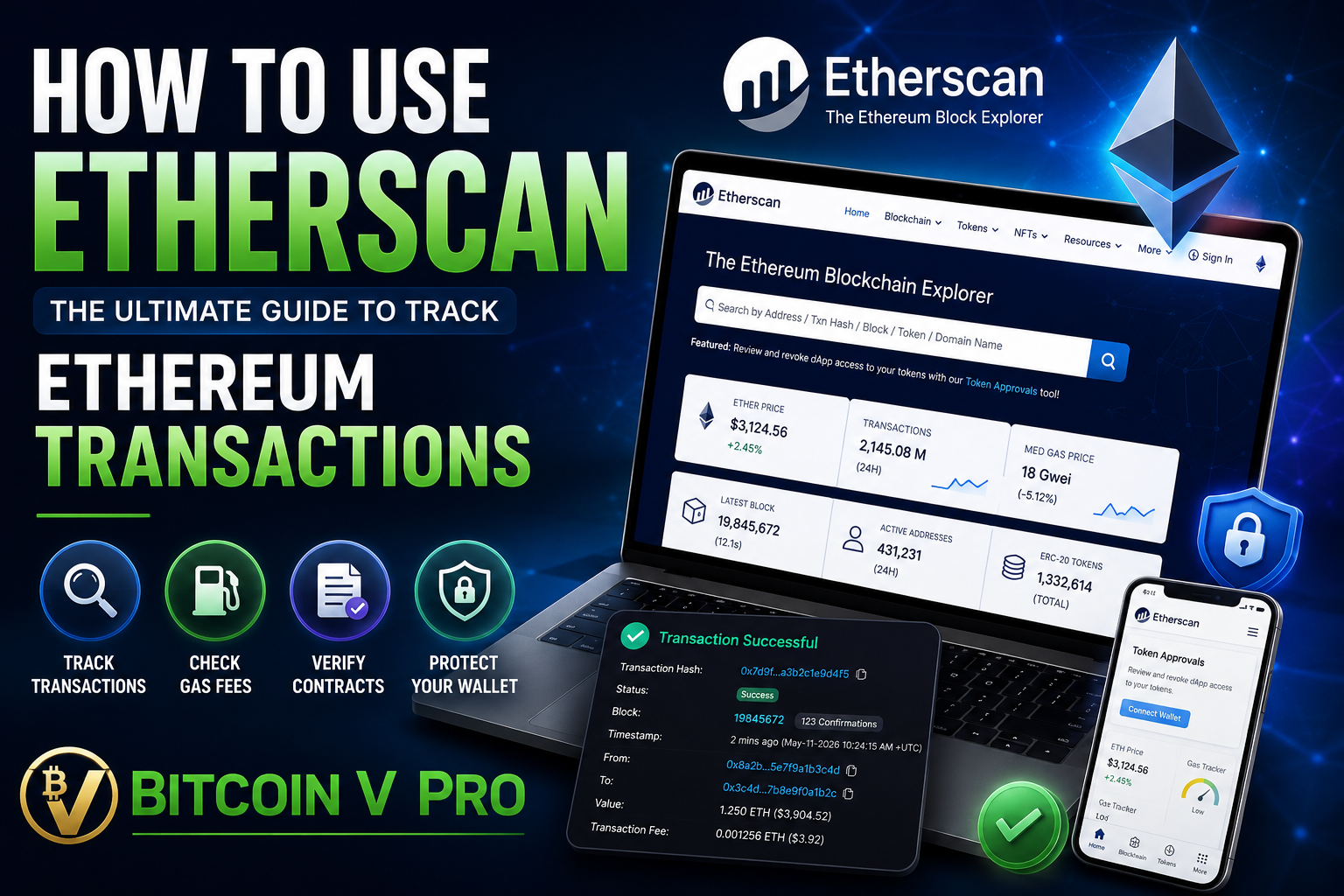
Look at the Transaction Details page. Key metrics include:
-
Status: Shows Success, Pending, or Failed. If it’s pending, you just need to wait. If it failed, Etherscan will show the error reason (e.g., “Out of Gas”).
-
Block: The specific block number where your transaction was recorded.
-
From: The wallet address that sent the funds.
-
To: The recipient address or the smart contract address interacted with.
-
Value: The total amount of ETH or tokens transferred.
-
Transaction Fee: The actual gas cost paid for the transfer in ETH and USD.
-
2. How to Read an Ethereum Wallet Address
If you search a public Ethereum wallet address (or an ENS domain like vitalik.eth), you will land on the Address Details page.
Here’s what you can see:
-
ETH Balance: The total amount of native Ethereum held in the wallet and its current fiat value in USD.
-
Token Holdings: A dropdown menu listing all ERC-20 tokens (like USDC, LINK, or UNI) and NFTs (ERC-721/ERC-1155) stored in that address.
-
Transactions Tab: A list of every incoming and outgoing ETH transaction associated with the address.
-
Token Transfers (ERC-20 / ERC-721 / ERC-1155): Separate tabs that show token movements instead of plain ETH transfers.
3. How to Check Real-Time Gas Fees (Etherscan Gas Tracker)
Ethereum gas fees fluctuate depending on how busy the network is. Trying to mint an NFT or trade on a Decentralized Exchange (DEX) during peak hours can result in ridiculous transaction fees.
To avoid paying over-the-top fees:
-
Click on Gas Tracker in the main menu (or look at the top navigation bar near the ETH price).
-
Etherscan breaks down current gas rates measured in Gwei (a tiny fraction of 1 ETH, equal to 0.000000001 ETH):
-
Low: Slower transaction processing times, but cheapest.
-
Average: Balanced speed and cost.
-
High: Priority processing for urgent transfers.
-
-
The page also gives estimated USD costs for common actions like simple ETH transfers, token swaps on Uniswap, or NFT purchases.
Pro Tip: If gas prices are unusually high, wait a few hours or check back during weekends when network activity typically cools down.
4. How to Inspect a Crypto Token or Smart Contract
Before buying a brand-new token on a DEX, always search its name or smart contract address on Etherscan to verify its legitimacy.
When you open a token page, check the following key fields:
-
Contract Address: Ensure the address matches the official address provided on reliable sources like CoinMarketCap, CoinGecko, or the official project website. Scammers often create fake tokens with identical names.
-
Holders: Click the “Holders” tab to see token distribution. If the top 2–3 wallets hold 90% of the total supply, it could pose a centralization risk or signal a potential “rug pull” scam.
-
Contract Code Verification: Look for a green checkmark next to the “Contract” tab. This means the developers published and verified their source code publicly.
Advanced Etherscan Features Worth Knowing
Once you have mastered basic search functions, Etherscan offers powerful tools for advanced Web3 users:
The Etherscan Token Approval Revoke Tool
Whenever you buy a token on a DEX or connect your wallet to a dApp, you grant that smart contract permission to interact with your funds. If that dApp ever gets hacked, attacker contracts could drain approved tokens from your wallet.
Etherscan offers a dedicated Token Approval Tool (etherscan.io/tokenapprovalchecker). You can connect your Web3 wallet, view every app that currently holds permission to access your tokens, and revoke permissions for dApps you no longer use.
Watch Lists and Custom Alerts
By creating a free account on Etherscan, you can set up a Watch List. This allows you to monitor specific wallet addresses (such as public whale wallets or your own cold storage) and receive instant email notifications whenever incoming or outgoing transactions occur.
Frequently Asked Questions (FAQs)
Can Etherscan reverse a wrong transaction?
No. Ethereum is an immutable blockchain. Etherscan is only a viewing engine; it has no technical mechanism or authority to stop, reverse, or modify blockchain entries.
Why does my transaction say “Pending” for so long?
A pending status usually means the network is congested and the gas fee you assigned to the transaction was lower than the current market rate. Miners/validators prioritize higher-fee transactions first. You can either wait for network activity to drop or use your wallet to “speed up” the transaction by paying a higher gas fee.
Do I need to register an account to use Etherscan?
No. All core search functions, gas tracking, and contract inspection tools on Etherscan are completely free and available without creating an account or logging in.
Final Thoughts
Etherscan is an indispensable tool for anyone navigating the Ethereum ecosystem. It strips away the confusion of decentralized technology and brings complete transparency to your crypto activities.
By taking a few minutes to learn how to read transaction hashes, monitor gas rates, verify contract addresses, and manage your wallet approvals, you put yourself in full control of your financial security on Web3. Bookmark etherscan.io and make habit of checking it whenever you move funds across the network.